disrict 9
Saturday, February 26, 2011
Me Avatar
I cant blv its bigger than a movie
Thursday, February 24, 2011
new notes
SUMMARY
-Make sure your mask layer is selection to paint on it, NOT THE ACTUAL PICTURE!
-The chain link represents merging the two layers. (becomes one)
- If you want to fade something, use a SOFT brush and low opacity
-If you want to mask out something, use a HARD brush and high opacity.
- To change the opacity, hit the numbers (ex. 4 for 40%, 3 for 30%)
Friday, February 18, 2011
The Beach car/Car beach
-drag backround to to other image
-duplicate image layer
-then on that layer click ctrl+T
-Make image your desired size
-Click enter
-And then click rhe brush tool
Tuesday, February 15, 2011
drop shadow
text tool to write ur name
right click and rasterized text
drag text layer to duplicate
lock the transparency
edit>fill>color>black
unlock the transparency
filter>blur>gaussian blur
put shadow layer under original layer
Friday, February 11, 2011
PS shortcuts
Alt
subtract from selection
Alt+space
zoom out
Ctrl+ D
deselect
Ctrl+Shift+D
reselect
Ctrl + shift + I
select inverse
Ctrl+space
zoom in
Ctrl+ +
Zoom In
Ctrl+ -
Zoom Out
[
increase brush size
]
decrease brush size
L
lasso tool
M
marquee tool
Shift
add to selection
Space
drag
Friday, February 4, 2011
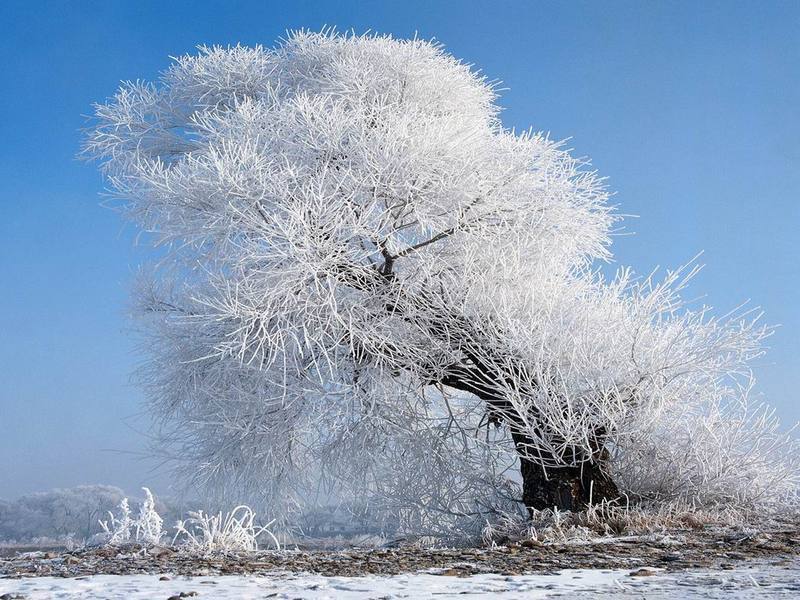
ASYMMETRICAL BALANCE
This is an example of asymmetrical balance because the tree stands alone although it is not even
SYMMETRICAL BALANCE
This is an example of symmetrical balance because the image has equal weight and size on both sides.
Newer Posts
Older Posts
Home
Subscribe to:
Posts (Atom)